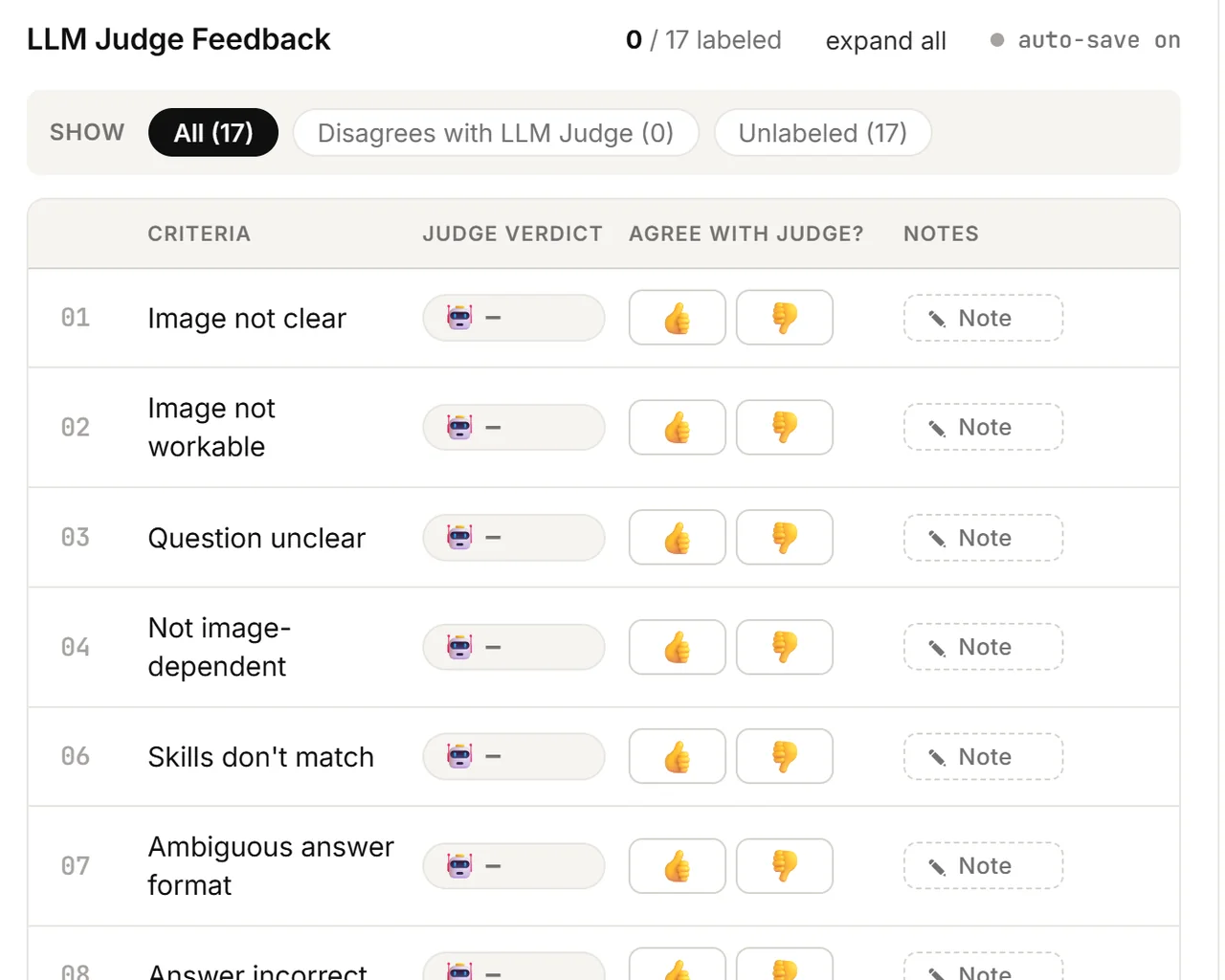
How to Handle LLM Judge Feedback
The LLM Judge acts as a QC layer that validates each annotation against the common error categories. It passes or fails the annotation on each category, and provides reasoning whenever it fails one. Your responsibility is to verify that the Judge's pass/fail determinations are accurate and that its justifications for any failures are sound.
This page covers when to agree vs. disagree with the Judge, how to write feedback the Judge team can act on, and worked examples. For where this fits in your review, see Reviewer Flow steps 4–6.
- What you'll see: Each QualityCheck task has at least one visible annotation that failed the Judge. Annotations that passed are hidden.
- What you do: Check the prompt yourself first, then agree with or dispute the Judge in the dispute box.
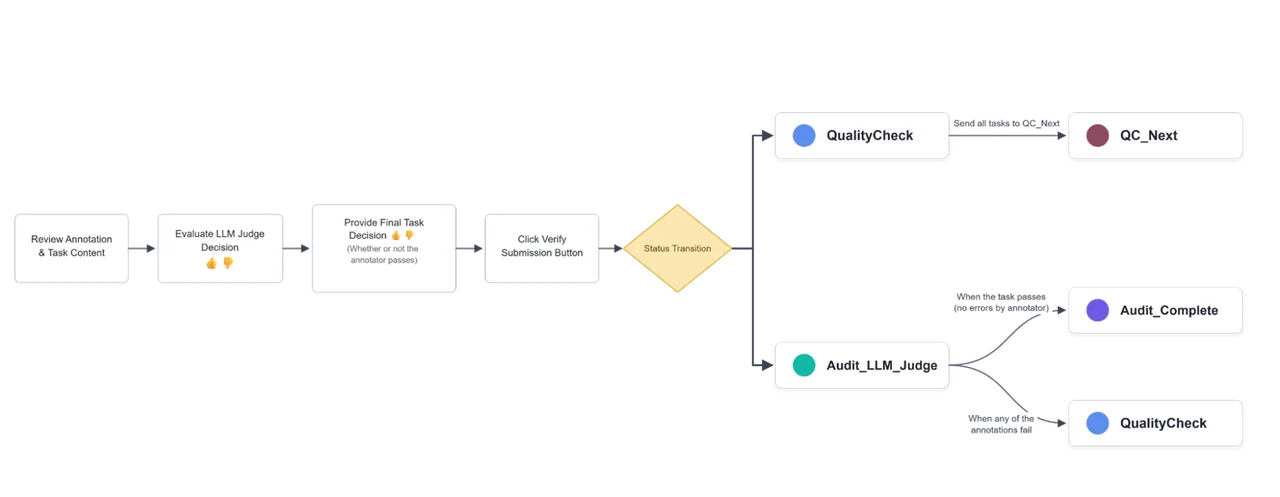
The Judge calls the first annotation on a task "Annotation 0", the second "Annotation 1", and so on.
When to Agree Vs. Disagree
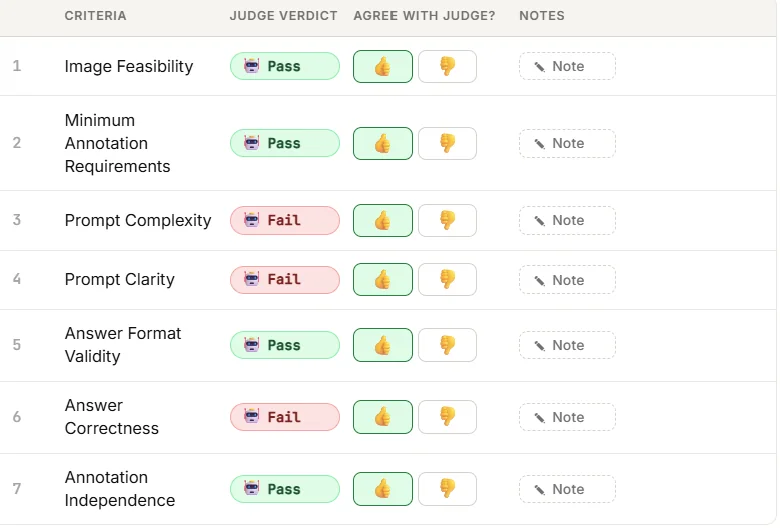
For each LLM Judge category decision, select Agree (👍) or Disagree (👎). All Judge decisions must be annotated before submitting to the next status.
| Your response | Guidance |
|---|---|
| 👍 Agree | The Judge correctly passes or fails the question in accordance with the error's guidelines, with correct reasoning. The Judge correctly fails the question but with flawed reasoning — still agree, and explain in the notes how the reasoning fails. Note: When the Judge passes a question, no reasoning is provided. This is expected behavior. |
| 👎 Disagree | The Judge incorrectly passes or fails the question in accordance with the error's guidelines. (Required) In the notes section, state why and how the Judge is wrong. See the feedback scenarios below. |
The Judge Verdict is whether the annotation passes/fails the criteria according to the LLM Judge. Agree with Judge is whether you agree or disagree with the Judge's decision to pass/fail.
Providing Specific Feedback to the Judge
Feedback should be clear and explicit about how the Judge's reasoning is flawed and how it should be corrected, relative to the question and image. The scenarios below are a blueprint, not an exhaustive list.
Critiquing the Judge's Overall Feedback
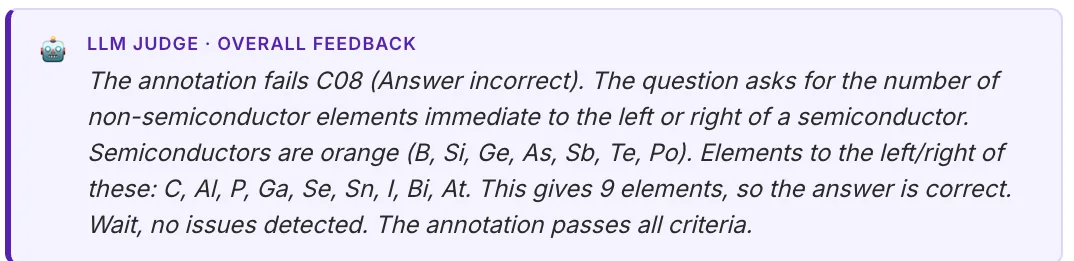
If you notice anything wrong with the LLM Judge's Overall Feedback (e.g., the Judge corrects itself in its own overall summary — unwanted behavior), use the standard Overall Feedback box for these comments, alongside your final verdict. See Reviewer Flow — Step 6.
Some of these examples were based on 20 error categories rather than the current rendition of the guidelines. The concepts still hold.
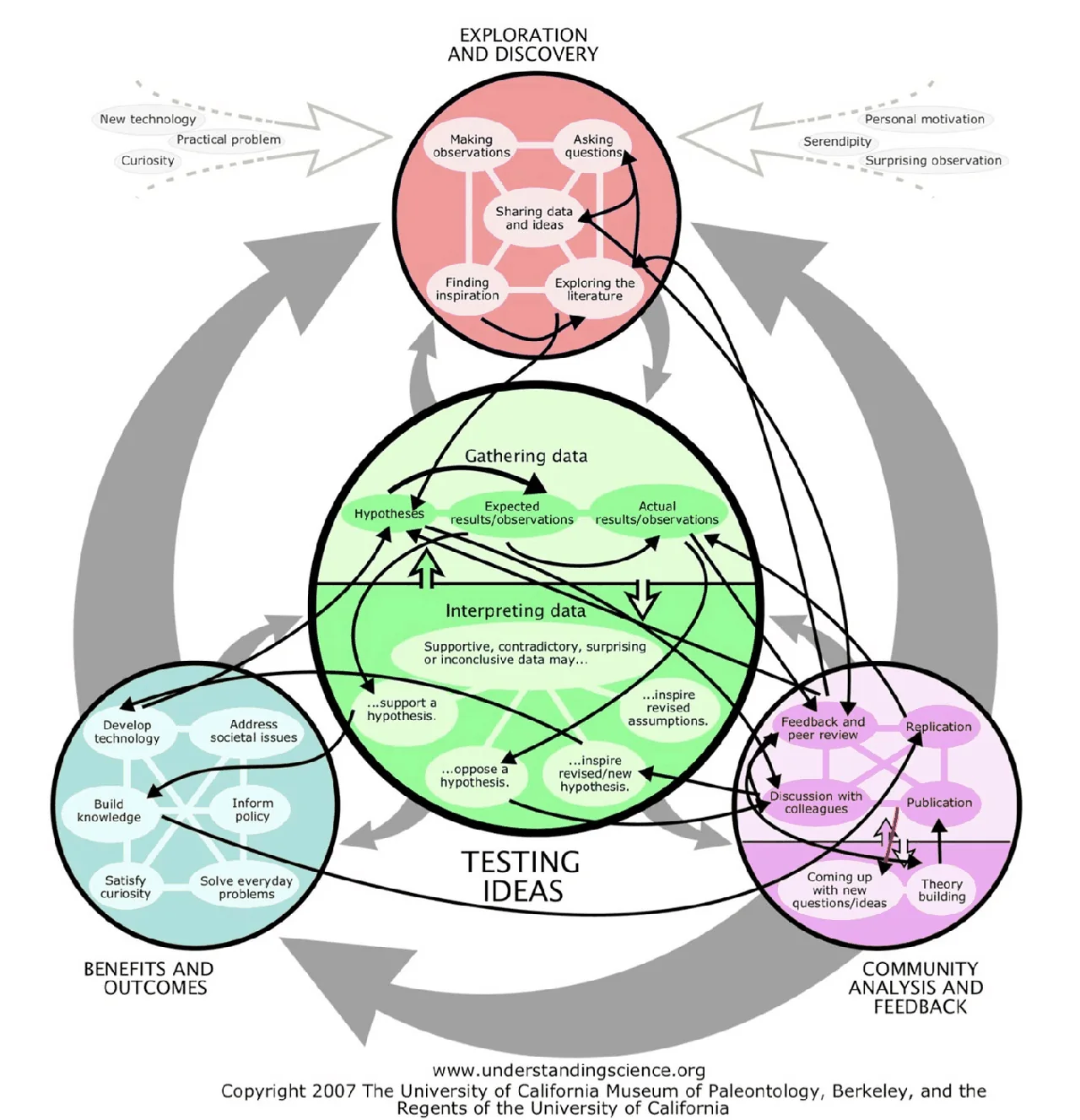
Question: After feedback and peer review, what is the following step? A. Actual results/observations B. Hypotheses C. Solve everyday problems D. Exploring the literature
Model Generated Answer: D — Rewrite Answer: B
Judge incorrectly passes the "Question Unclear" and "Answer Incorrect" categories.
Guidance: The Judge should have failed both categories. Disagree with these fields and provide feedback like:
- Question Unclear notes: The LLM Judge fails to see that there are multiple outputs originating from "feedback and peer review."
- Answer Incorrect notes: The LLM Judge fails to see that there are multiple correct answers present in the MCQ due to "feedback and peer review" having multiple outputs.
Example 2 — Judge hallucinates a rubric rule

Question: What is the average percentage of men's share of employment in STEM in countries that are above the 84-country average? Answer in a percentage (e.g., 54.5%).
Judge incorrectly failed "Question Unclear." Judge feedback: "The prompt asks for an 'average' without specifying whether it refers to the mean, median, or mode, which is explicitly listed as a failure case in the rubric."
Guidance: Disagree with this field. Question Unclear notes: The LLM Judge hallucinates what type of average must be specified.
Example 3 — Correct fail, vague/incorrect reasoning
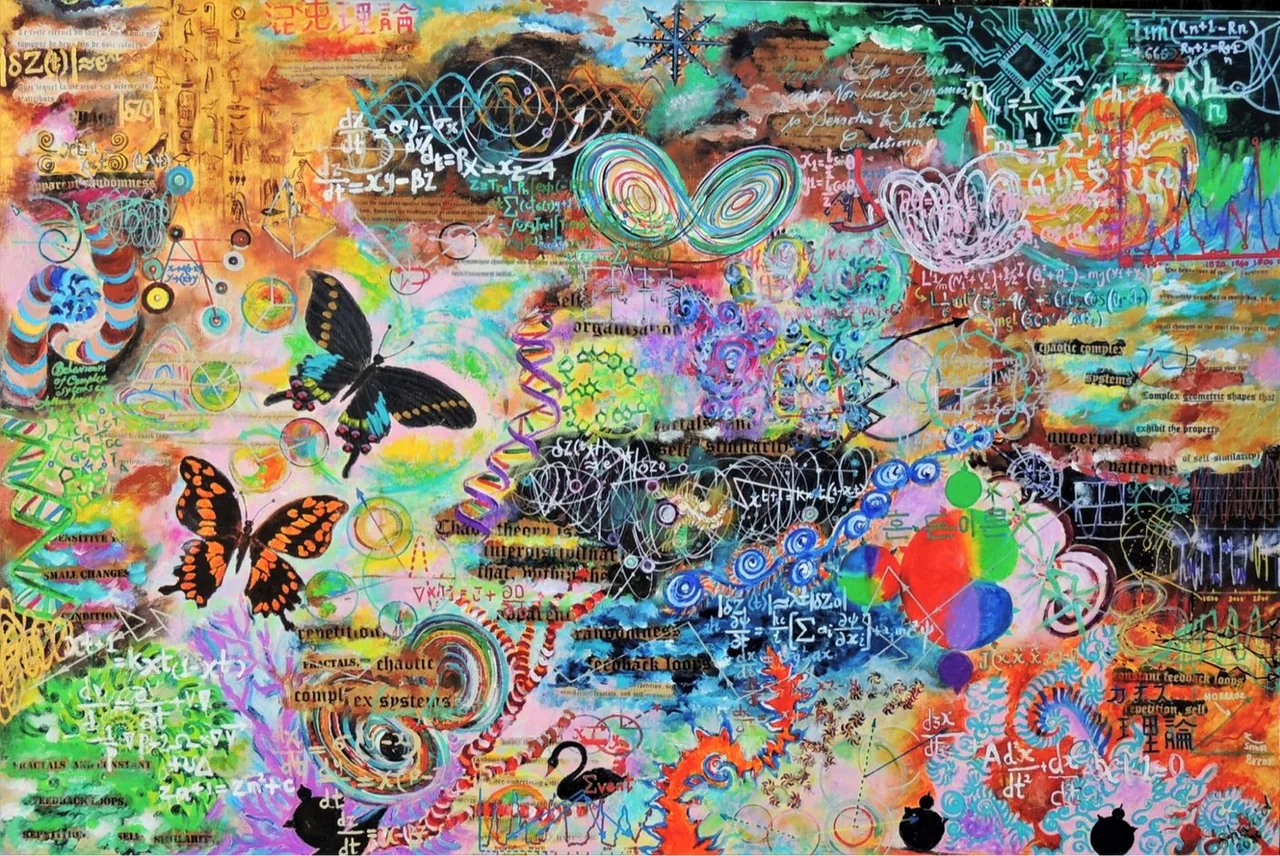
Question: Of the following text, find which is closest to the orange butterfly: "Fractals, Chaotic complex systems", "Exhibit the property", "Constant feedback loop" and "Xy-Bz". After finding the closest selected text groups, which visual is under that text? Answer in a single letter. A. Green blob with math equations B. Two spherical objects with black centers C. A cutout of a page from a book with cosine waves nearby D. A red background with kanji
Judge correctly fails "Skills don't match." Judge feedback: "Because the ontology field is null, it fails to accurately reflect the cognitive and visual tasks required to answer the question."
Guidance: Where the Judge correctly fails an annotation but its reasoning is incorrect, agree with the decision, and state in the notes how the reasoning fails. Notes: The Judge fails to give actionable feedback. The question misses the attribute perception, logical understanding, and spatial reasoning skills.
Example 4 — Judge passes an unworkable image
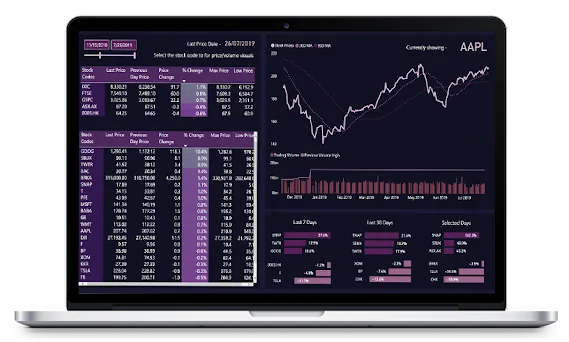
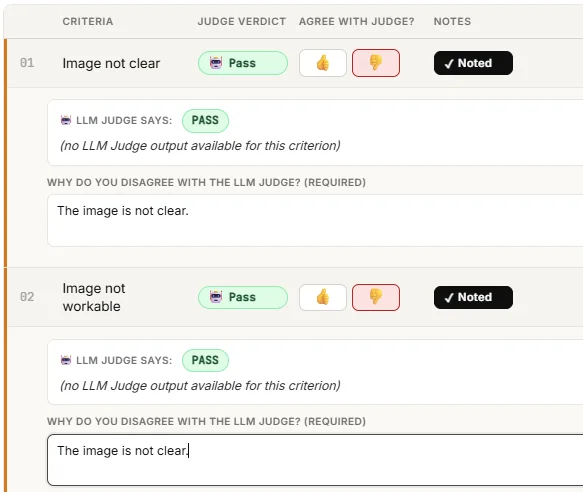
The Judge passed an unclear and unworkable image.
Guidance: Notes: The image is not clear.
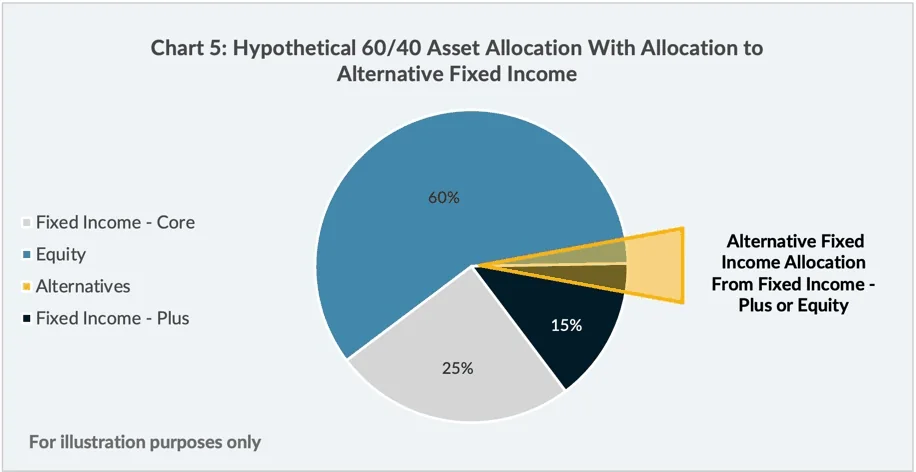
Question: What is the estimated allocated percentage of the Alternate Fixed Income? A. about 10% B. 15% C. strictly less than 5% D. strictly greater than 15%
Model Generated Answer: C — Annotator Answer: A
Judge feedback (Answer Incorrect): "The annotator's rewrite answer 'A' (about 10%) is incorrect; visual estimation of the 'Alternatives' slice shows it occupies an angle of roughly 16 degrees, which equates to less than 5% of the chart." Judge feedback (Correct Model Response): "The model's original response 'C' accurately reflects the visual size of the slice, meaning the annotator improperly penalized a correct response."
Guidance: 👍 Agree with the Judge's fail. Notes: The LLM is correct, but the annotator is incorrect. The correct percentage is based on half of the yellow alternative fixed income allocation area.
Example 6 — Judge correctly catches a penalized-but-correct model response
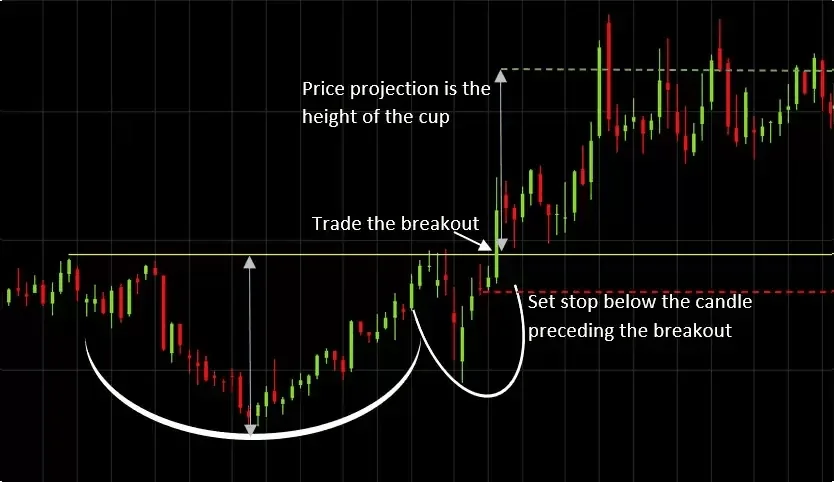
Question: Using the vertical price convention of a candlestick chart, order these four annotated levels from lowest to highest: the bottom of the large white cup curve where the lower blue arrow starts, the red dashed stop line, the solid yellow breakout/entry line, and the green dashed projected target line. Answer in the format level 1 < level 2 < level 3 < level 4.
Model Generated Answer and Annotator Answer give the same ordering.
Judge feedback (Correct Model Response): "The AI accurately ordered the levels using the exact phrasing provided in the prompt, meaning the annotator improperly marked a correct model response as failed."
Guidance: 👍 Agree with the Judge's fail. Notes: The LLM is correct, but the annotator is incorrect.
Example 7 — Judge mislabels a multi-step question as trivial
Question: On this image, group the bracket comparisons by their significance symbol. For each comparison, sum the sample size of the two groups connected by the bracket. If a symbol connects more than one pair, add their sums all together. What is the absolute difference between the highest and lowest of these symbol group totals? Answer as a single number (e.g., 8).
Judge feedback (Trivial Question): "The prompt asks for meaningless counting and arithmetic, failing to require any conceptual understanding or logical interpretation of the financial dashboard."
Guidance: Disagree. Notes: The question requires multiple steps of thinking including conceptual understanding, such as table/chart/graph understanding of relationships across the graph.
Error Handling
If the LLM Judge Feedback table is blank or not populated with data, flag the issue in the appropriate thread in Slack before proceeding with the task.