
Step 5: Validate Your Prompt
In this step, you'll run Check My Work to catch common mistakes, resolve every flag, and run Verify Submission before sending the task to QC. Before you submit in SuperAnnotate, your Handshake AI task also runs a required Model Stump Check to test your prompt's difficulty.
Once you've completed your annotation, rewrite answer, and model answer rating, click the "Check My Work" button to evaluate whether any part of your submission includes common mistakes.
The "Check My Work" feature is there to help you catch common mistakes before you submit. It is not how your accuracy is graded. Your accuracy is determined by QC review (see Quality).
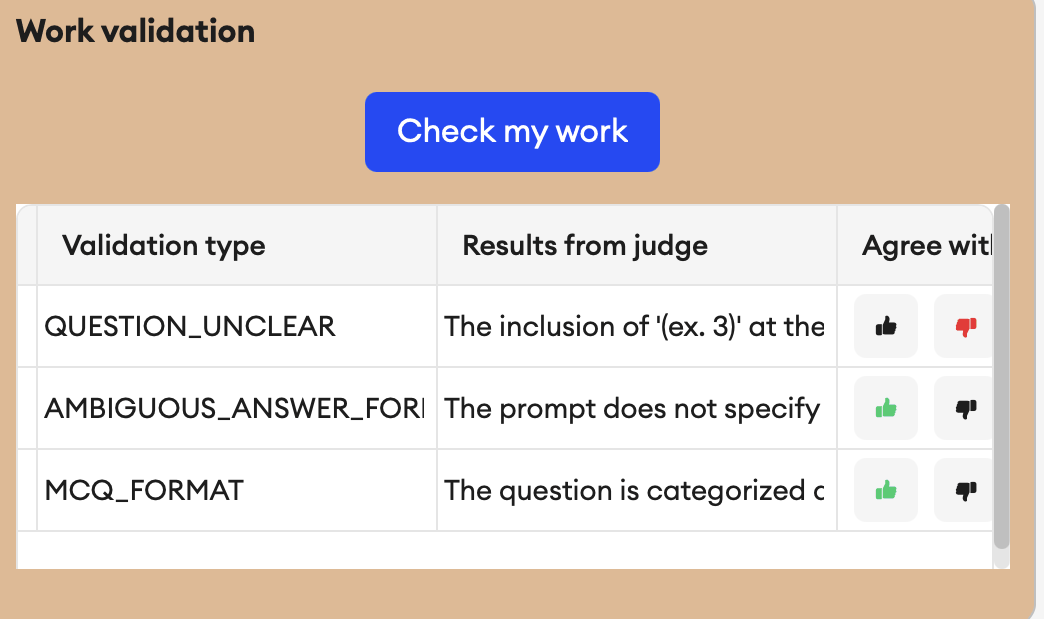
If you agree with the work validation
Select the green thumbs-up icon, then resolve the flagged item by doing both:
Edit your prompt, answer, or rating to fix the issue the validator surfaced.
Regenerate the model response, re-rate it, and re-run Check My Work.
Once resolved, the item should disappear from the work validation section.
If you disagree with the work validation
Select the red thumbs-down icon to dismiss the flag. No further changes needed.
Submission blockers
Your task will be blocked from submission if any of the following are missing:
Work through each item.
Checklist
0 of 3 complete
Verify Submission
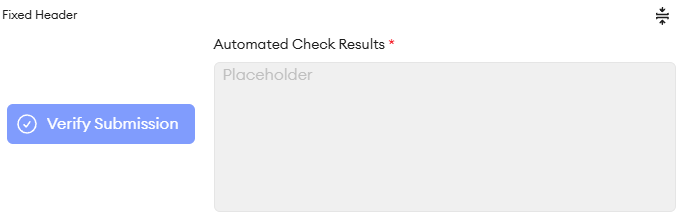
After all annotations are complete, run Verify Submission. This checks if all items in work validation across all annotations have passed. You will not be able to submit to QC until all checks have passed.
The Model Stump Check in your Handshake AI task
Currently for annotators only: The new Model Stump Check (Stump the Model) in the Handshake AI Shadow Task is not part of review/QC or audit workflows. Reviewers and auditors do not run it, verify a passing result, or apply its three-wrong-answer threshold. If this changes, there will be an announcement and the playbook will be updated.
Before you submit your annotation/task in SuperAnnotate, save the image from SuperAnnotate and upload that saved image to your Handshake AI task. Copy over your prompt and rewrite answer from the same annotation. The image, prompt, and rewrite answer must match SuperAnnotate exactly. Once you've confirmed they match, click Continue to run the Model Stump Check, which tests whether your prompt is difficult enough to stump the model.
The result determines whether you can submit your Handshake AI task:
- The model gets it wrong 3 or more times: Your prompt passes the difficulty check. Submit your Handshake AI task, then submit the task in SuperAnnotate after all annotations and their separate Handshake AI tasks are complete.
- The model gets it wrong fewer than 3 times: Do not submit yet. Revise your prompt in SuperAnnotate, rerun the model and Check My Work, and update your rewrite answer if needed. Copy the updated prompt and rewrite answer into your Handshake AI task, confirm everything matches, and run the Model Stump Check again. Do not retry an unchanged prompt to get a passing result.
Additional Annotations
You may write up to 3 annotations per image in SuperAnnotate. However, each annotation must be substantially different from each other. In practice, this means that each annotation should use a different combination of ontologies and different features of the image.
All usable images can support at least one strong annotation. If you have finished one annotation, and notice that there are parts of the image you haven't used, see if you can come up with a question that tests different reasoning skills.
One strong annotation is better than 3 similar or weak ones.
Example
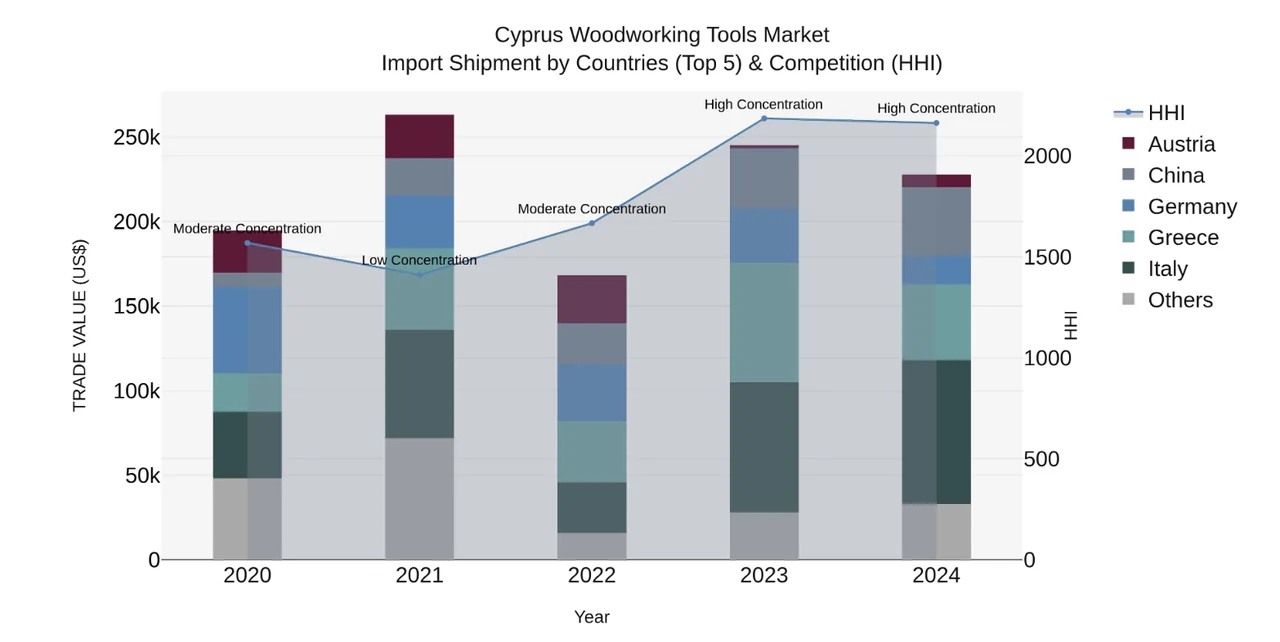
❌ "Too Similar" questions. Minor variations of the same template; rely on the same image components and skill:
- 1.What is the year-over-year (YoY) change in HHI between 2021 and 2022?
- 2.What is the % change in HHI from 2020 to 2024?
✅ Truly distinct questions. Each uses different skills and different parts/interpretations of the image:
- 1.What is the percentage increase in HHI from 2022 to 2023?
- 2.During which three-year period does HHI grow the fastest?
Knowledge check
Check My Work flags your annotation with AMBIGUOUS_ANSWER_FORMAT. You review the prompt and agree the format constraint is genuinely missing. What do you do?